Kingdom Architect Tycoon Build Layouts
Medieval village-to-castle layouts—roads, walls, markets, gardens, and terrain that earn while they impress.
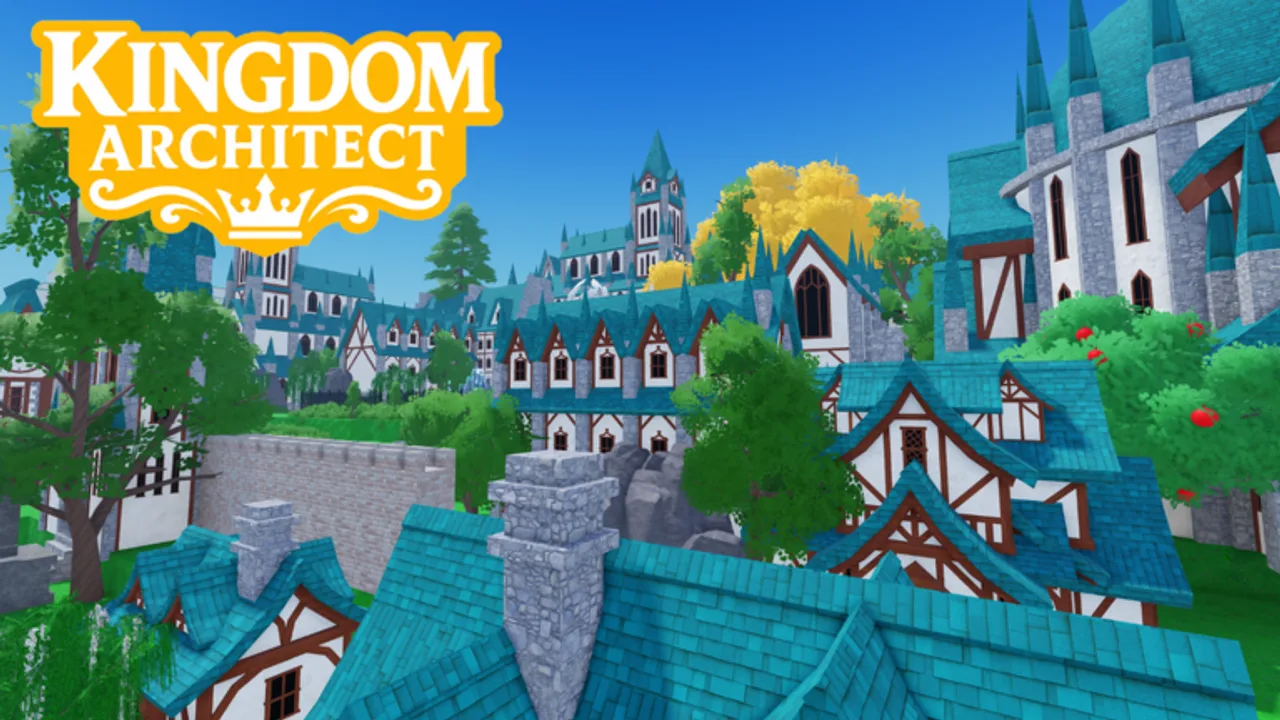
A kingdom in Kingdom Architect Tycoon should read as a medieval fantasy city, not a spreadsheet of identical houses. Finite Works gives beta players tools for houses, markets, towers, walls, gardens, roads, terrain, water, trees, and decorations—enough pieces to grow from a hamlet into a walled castle empire. Layout planning turns those pieces into something shareable in Review threads while still respecting tycoon income from Earn Money Fast.
This guide offers layout frameworks, district ideas, decor layering, and practical tips that work on both PC (PC Controls) and mobile (Mobile Controls). Read Getting Started and Land Expansion first if you are still on a single starter plot.
Layout principles that survive beta patches
These rules stay useful even when individual building stats change:
Income under aesthetics. Every district needs producers from Building Tier List beneath the pretty layer. Markets along frontage roads earn and look authentic.
One strong spine. A main road connects spawn, trade row, and castle gate. Collection walks follow this line—see Offline Progression for why short routes matter.
Symmetry optional, clarity required. Real medieval towns were messy; Roblox screenshots benefit from readable silhouettes. Mirror towers at gates even if back alleys are irregular.
Plan night lighting early. Kingdom Architect includes day/night exploration; lamp posts and tower fire read better if reserved during initial placement.
Expand in phases. Land Expansion guides plot timing; layout should grow by district, not random sprawl.
Starter village layout (single plot)
On your first chunk, try the Village Green pattern:
- Place a curved road from spawn to the plot edge where future land will connect.
- Line houses along the road’s inside curve—short timers fund early upgrades from Early Game Buildings.
- Put one market at the road’s widest point as a visual hub.
- Fill the interior with gardens and trees from Decor and Terrain only after six or more income tiles exist.
- Leave one corner flat for your first tower when the catalog unlocks it.
This layout collects quickly and photographs well for beta community posts.
Trade row and market street
After your second plot from Land Expansion, add a Trade Row:
| Element | Placement tip | Income note |
|---|---|---|
| Markets | Both sides of a wide road | Highest density earners mid-beta |
| Awning decor | Every second shop | Visual rhythm without blocking clicks |
| Fountain or well | Center intersection | Decor tier—buy after markets pay off |
| Side alleys | Narrow paths behind shops | Future house tiers or storage aesthetic |
Keep alleys one tile wide so mobile taps do not mis-select buildings.
Castle wall and tower layouts
Medieval identity comes from walls and towers. Use a three-step castle frame:
Step 1 — Footprint. Walk your plot border and mark gate location facing the trade row.
Step 2 — Curtain wall. Place wall segments with tower anchors at corners. Leave gaps until you afford gatehouse pieces.
Step 3 — Bailey interior. Inside walls, prioritize towers with income tags if Building Tier List ranks them above pure decor turrets.
Gate alignment matters: players entering your kingdom should see the market spine through the gate—a classic fantasy establishing shot.
Do not wrap walls before inner plots are saturated; empty baileys earn nothing offline.
Gardens, terrain, and water features
Decor is where Kingdom Architect shines for creators. Layer decor in this order to control spend:
- Ground terrain paint. Fields outside walls, cobble inside.
- Tree lines. Mask square plot edges.
- Garden clusters. Break up house grids.
- Water tiles. Moats need planning before walls finalize; deleting water near walls costs gold in beta.
- Props. Benches, crates, lamps last.
Decor and Terrain ranks pieces by cost versus visual impact. Infinite Money (2999 Robux) removes budgeting; most players should still sequence decor after income from Gamepass Guide.
Multi-plot empire layout
When Land Expansion or soft-currency plots unlock wide space, organize districts:
[ Outer farms / trees ]
        |
   [ Wall ring ]
        |
 [ Market + spawn spine ] ---- [ Castle keep on hill ]
        |
 [ Residential quarter ]
Residential stays near spawn for fast collection. Castle keep sits on raised terrain if tools allow. Farms and forests fill outer bands where payout buildings tolerate distance.
Use Progression Checklist to note when each district opens.
Layout mistakes to avoid
Blocking collection paths. Decor stacked in front of market doors slows daily harvests.
Wall-first empty interiors. Walls impress visitors but starve Earn Money Fast loops.
No connection plan between plots. Buy land with shared road height; fix cliffs before placing permanent walls.
Copying layouts that ignore your catalog unlocks. YouTube showcases may use buildings you have not unlocked yet—adapt shapes, not exact piece lists.
Automation clutter. Scripts for auto-build rarely respect aesthetic intent and break after Beta Updates.
Showcasing and community sharing
Beta builders share screenshots on Roblox discover feeds and social platforms. Tips for clean captures:
- Log in at night for torch glow along walls.
- Hide UI if beta allows photo mode; otherwise zoom from PC Controls angles.
- Credit no fake Codes in captions—Active Codes remains empty until official drops on How to Redeem.
Our Review page discusses presentation without spoiling creative surprise.
Balancing creativity with tycoon goals
Layouts compete with timers. 2x Timer Speeds (999 Robux) helps builders who rearrange often; Land Expansion (399 Robux) helps visionaries who need space more than speed. Neither replaces understanding income loops from Guides Hub.
Schedule build sessions separate from harvest sessions: one login for collecting and reinvesting, another for decor passes. Mixing both every time leads to half-finished walls and missed offline caps from Offline Progression.
Sample progression path for layouts
| Beta stage | Layout focus | Wiki companion |
|---|---|---|
| First hour | Village green + road | Getting Started |
| First expansion | Trade row | Land Expansion |
| Mid beta | Wall ring + gate | Building Tier List |
| Late beta showcase | Terrain + moat + gardens | Decor and Terrain |
Kingdom Architect Tycoon entered Roblox beta as a builder’s tycoon—your layout is the story players remember. Earn first along the spine, wall second, decorate third, and revisit Events when seasonal pieces appear.
Return to Guides Hub for economy guides or Players Hub for control refinements while you build.
Frequently Asked Questions
Quick answers for Kingdom Architect Tycoon players.
What is the best beginner layout in Kingdom Architect Tycoon?
Use a village green pattern: curved road, houses along the inside, one central market, gardens only after six or more income buildings are placed.
Should I build walls before filling my plot?
No. Saturate income buildings first, then add walls and towers. Empty walled baileys look good but earn poorly offline.
How do I make my kingdom look good at night?
Plan lamp posts and tower lighting during initial placement. Log in at night to verify glow before spending on extra decor.
Do layout choices affect income?
Indirectly. Shorter collection routes and more income tiles per plot increase earnings. Pure decor layout without producers does not pay.
Can I copy a YouTube layout exactly?
Use videos for inspiration but adapt to your unlocks and plot size. Build Layouts and tier lists help match income pieces to aesthetic goals.