Getting Started in Kingdom Architect Tycoon
Your first hour in Finite Works' medieval kingdom builder—from village plot to steady income.
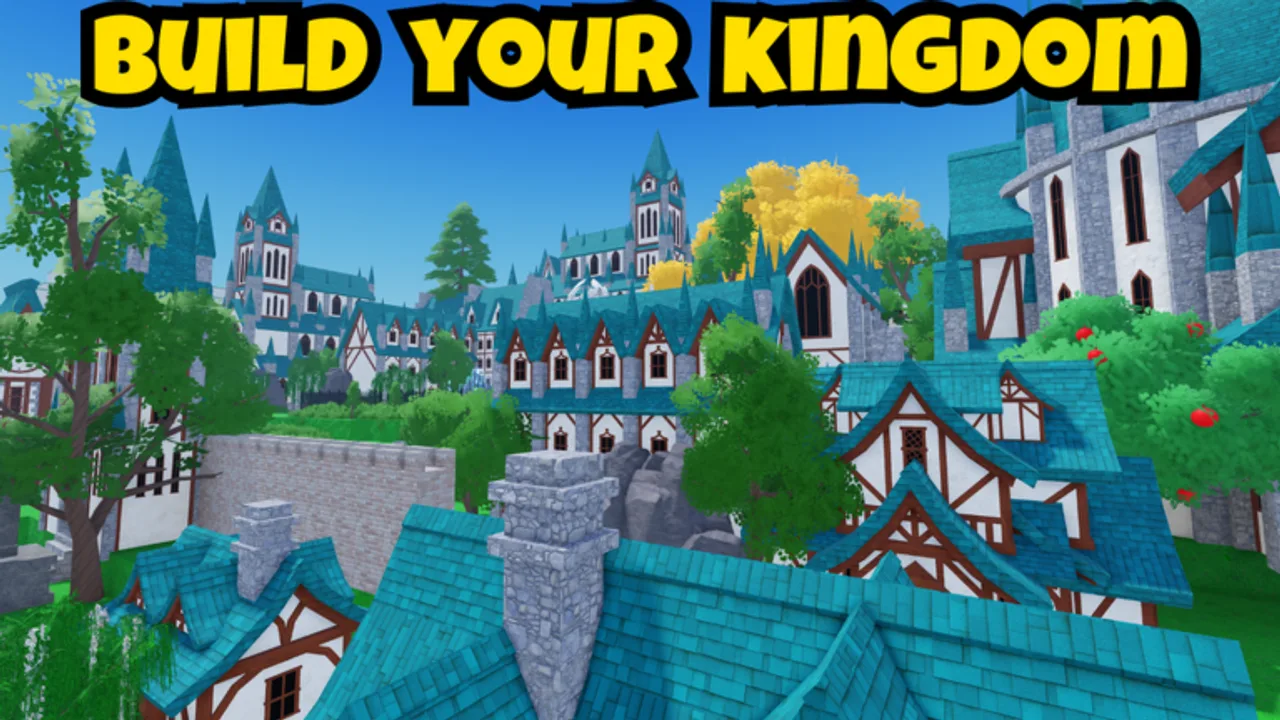
Kingdom Architect Tycoon is a medieval kingdom builder tycoon on Roblox, developed by Finite Works and first published to the platform in May 2026. The experience is still in early-access beta, which means UI labels, building costs, and timer lengths can change between sessions. This guide focuses on what a brand-new player should do in the first hour: learn controls, place income buildings, collect payouts, and set habits that pair with Offline Progression later.
If you have not joined yet, open the official experience from our Gamepasses Hub or search place ID 105373497661352 on Roblox. No Active Codes grant starter currency at the time of writing—see How to Redeem when Finite Works adds them.
What kind of game is this?
Kingdom Architect blends tycoon income with freeform medieval building. You start on a small village plot, place structures like houses and markets, collect money from them, unlock new building types, buy additional land, and decorate with walls, towers, gardens, roads, terrain, water, and trees. A day-and-night cycle lets you preview how torches and towers look after sunset.
Unlike pure obby tycoons, progression is visual: your kingdom should grow from a hamlet into a castle city. That makes early choices about roads and spacing matter even before you read Build Layouts.
First session checklist
Work through these steps in order during your opening session:
- Complete the tutorial prompts. They introduce placement, rotation, and the build menu. On mobile, read Mobile Controls; on PC, see PC Controls for camera shortcuts that the tutorial may skip.
- Place your first income building. Usually a basic house or equivalent starter structure. Income buildings fund everything else in beta.
- Collect your first payout. Tap or interact with the building when its timer completes. Collection is the core loop; see Earn Money Fast for rhythm tips.
- Unlock one upgrade tier. Open the build catalog and buy the next structure the game highlights. Check Early Game Buildings for community priority lists.
- Leave space for a road spine. Even a single wide path through your plot saves demolition costs when you expand. Land Expansion explains why corridors matter.
- Log out once on purpose. Kingdom Architect earns offline. After fifteen to thirty minutes away, return and note what accumulated; details are in Offline Progression.
Track milestones on the Progression Checklist if you want a structured path through beta content.
Understanding the build menu
Buildings fall into broad groups that overlap in the medieval theme:
| Group | Examples | Role in beta |
|---|---|---|
| Income | Houses, markets, towers with payouts | Primary gold source |
| Defense aesthetic | Walls, gate pieces, watch towers | Borders and prestige; some earn indirectly |
| Decor | Gardens, trees, lamps, terrain paint | Visual polish; see Decor and Terrain |
| Infrastructure | Roads, bridges, water tiles | Connects districts for layout clarity |
Every placed building participates in your kingdom’s progression. Decorative pieces can be tempting early, but Building Tier List rankings generally favor income first, decor after your second or third plot.
Money and timers in the first hour
Tycoon income runs on timers. Each eligible building generates a payout after a countdown; you must collect manually in most cases. In beta, timer lengths feel slower before upgrades—patience or the 2x Timer Speeds gamepass (999 Robux) halves wait times. Read the Gamepass Guide before spending Robux on day one.
Infinite Money (2999 Robux) removes pressure entirely but skips the tycoon puzzle many players enjoy. None of the gamepasses are required to finish the tutorial or unlock basic medieval pieces.
Controls and camera tips
Placement quality depends on camera comfort:
- PC. Use zoom and orbit to inspect ground height before confirming terrain edits. PC Controls lists default bindings.
- Mobile. Pinch-zoom before fine rotations; fat-finger errors waste gold when delete tools cost currency in beta builds.
- Both. Toggle day/night if the UI offers it; wall height and garden color read differently at night, which matters for future Build Layouts screenshots.
What to unlock next
After your first three to five structures, follow this priority path:
- Highest gold per minute option in the catalog you can afford—see Earn Money Fast.
- Second land chunk if the price is less than your next major building tier; expansion beats cosmetic filler early.
- One decor anchor—a garden or tree line—so your village reads as intentional in Review screenshots you might share later.
Avoid buying every wall variant before markets pay for themselves. Walls look impressive but do not always carry the best income stats in beta spreadsheets shared on Buildings Hub.
Codes, scripts, and beta caution
Codes are a common search topic, but no verified active codes exist yet. Bookmark Active Codes rather than trusting random social posts with fake strings.
Scripts may advertise auto-collect or instant build. Beta patches break external tools frequently, and some executors risk account action. Manual play aligns with wiki guides and keeps your kingdom layout knowledge sharp.
Staying current
Finite Works ships adjustments through beta channels. After each play session, skim Beta Updates and Events if payouts feel different. Our Guides Hub links every walkthrough so you can jump to Land Expansion or layout articles when ready.
Kingdom Architect Tycoon rewards patience: a messy first village is normal. Fix spacing when you buy more land, collect often, and let offline growth do work while you are away.
Frequently Asked Questions
Quick answers for Kingdom Architect Tycoon players.
Is Kingdom Architect Tycoon free to play?
Yes. Roblox is free and the beta experience has no mandatory purchase. Optional gamepasses like Land Expansion and 2x Timer Speeds speed progression but are not required to build a village.
What should I build first in the beta?
Follow the tutorial, then prioritize income buildings such as houses and markets before heavy decor. Early Game Buildings tier list ranks starter options by payout efficiency.
Does the game work on mobile?
Yes. Kingdom Architect supports mobile clients. Use the Mobile Controls guide if placement feels imprecise; many players run entire kingdoms on phone or tablet.
Are there working codes for starter gold?
Not at this time. Active Codes lists verified strings when Finite Works adds them. Ignore unreleased code rumors until they appear on the official wiki page.
How long is the first play session?
Plan thirty to sixty minutes to finish onboarding, place several buildings, and test offline growth with a short break. Longer sessions help if you are planning roads before land expansion.