Land Expansion in Kingdom Architect Tycoon
Buy plots wisely in beta—reserve roads, fill income first, and know when the 399 Robux gamepass helps.
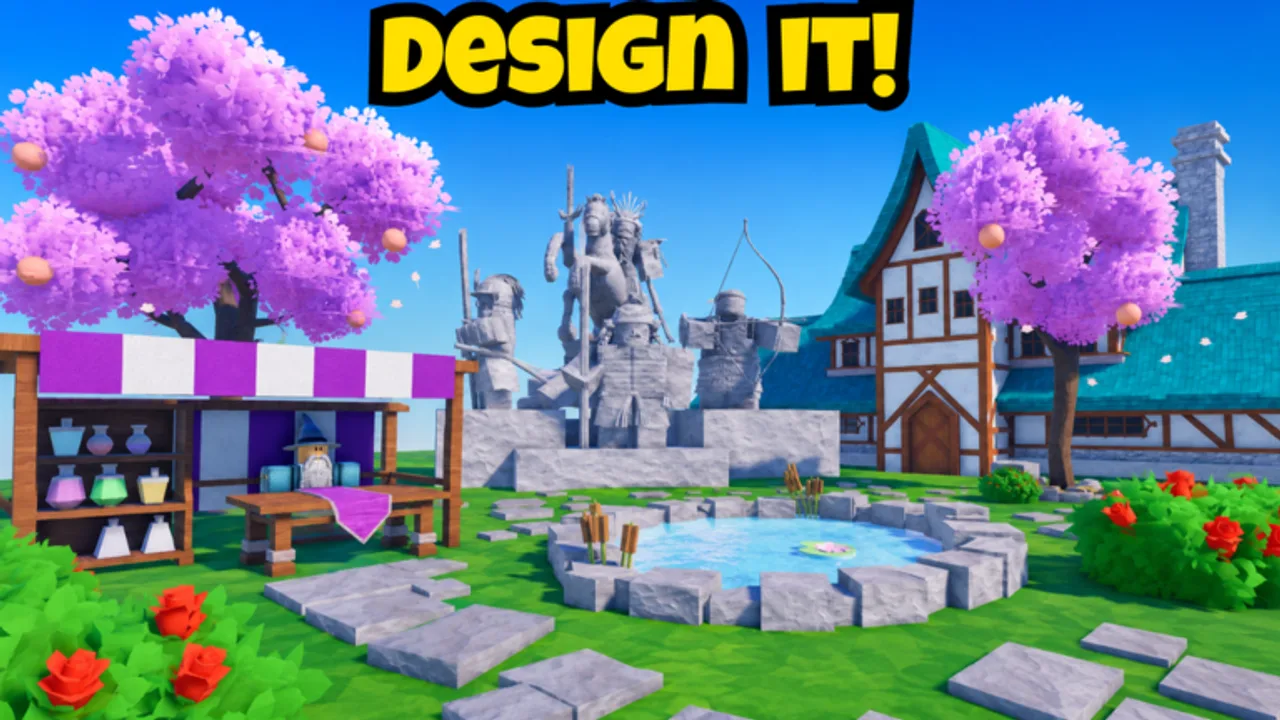
Land is the canvas for every medieval district in Kingdom Architect Tycoon. Finite Works designed the beta loop so players start with a modest village plot and purchase additional chunks as income grows, eventually supporting castle walls, market rows, gardens, and terrain sculpting across a fantasy empire. Expansion is never purely cosmetic: more owned land means more tiles for income buildings, which feeds back into Earn Money Fast strategies and Offline Progression totals.
This guide covers when to buy land, how to prepare layouts before spending, how the Land Expansion gamepass (399 Robux) compares to in-game purchases, and mistakes that waste gold during early-access beta.
How land expansion works in beta
Kingdom Architect Tycoon uses a tycoon land grid model common on Roblox: your kingdom occupies one or more contiguous plots. New plots unlock through the in-game shop or equivalent UI, typically priced in soft currency earned from houses, markets, towers, and similar producers.
Each new chunk adds buildable surface for:
- Income structures ranked on Building Tier List
- Infrastructure such as roads and bridges
- Defense aesthetics including walls and gatehouses
- Decor from Decor and Terrain lists
Land you do not own cannot be built on. That makes expansion gating natural: the game slows spenders who expand faster than they fill tiles.
When to buy your next plot
Use this decision order before confirming a purchase:
- Income density. At least seventy percent of current land should hold producers or active upgrades. Empty kingdoms look impressive on the map but earn poorly offline.
- Wallet buffer. Keep enough gold after buying land to place two or more new buildings immediately. Expansion without follow-up construction stalls progress.
- Layout plan. Sketch a road spine and castle corner on paper or mentally using Build Layouts. Buying land without a plan leads to awkward demolitions in beta when delete tools cost currency.
- Patch timing. If Beta Updates or Events announce land sales or price changes, wait for notes before overpaying.
First-time players should finish Getting Started and read Early Game Buildings before the second plot purchase.
Spacing and infrastructure before you expand
Smart expansion starts on your current plot:
Road spine. Leave a two-to-three tile wide path from your spawn point toward the edge where the next plot will connect. Roads unify districts and speed collection routes described in Earn Money Fast.
Buffer zones. Reserve one strip along future wall lines so towers sit flush without relocating markets later.
Terrain height. If beta tools allow raise/lower, flatten connection edges before buying adjacent land—cliffs at plot borders are hard to fix once walls are placed.
Night preview. Toggle dusk if available; lamp posts and tower silhouettes reveal whether your reserved zones still make sense.
Filling new land after purchase
When a plot unlocks, follow a fill pattern instead of random decor:
| Phase | Action | Goal |
|---|---|---|
| Hour 0 | Place income along the road | Immediate ROI |
| Day 1 | Add one wall or tower anchor | Define kingdom border |
| Day 2+ | Gardens and trees in gaps | Visual polish without starving producers |
| Weekly | Revisit Buildings Hub | Swap low-tier duplicates for better earners |
Track plot milestones on Progression Checklist so you know when expansion outpaces income.
Land Expansion gamepass (399 Robux)
The Land Expansion gamepass advertised in beta unlocks all land forever according to Gamepass Guide and content/facts.json. Compare it to grinding soft-currency plots:
Buy the gamepass if you are a creative builder who cares more about Build Layouts and screenshot-ready castles than tycoon pacing, or if you play casually and dislike farming plot prices.
Skip the gamepass if you enjoy the tycoon climb and can fill each plot before the next—free expansion teaches layout discipline.
2x Timer Speeds (999 Robux) and Infinite Money (2999 Robux) solve different problems; neither replaces land tiles. See Review for free-to-play fairness notes.
Land vs decor spending traps
Beta players often burn expansion budgets on mistakes:
Buying land with zero build budget. You gain empty grass while timers on existing buildings finish—acceptable only if you log out for Offline Progression immediately after queueing upgrades.
Decor before second plot. Decor and Terrain pieces shine after income covers them; walls across an empty new plot earn admiration but not gold.
Ignoring mobile placement. Large plots are harder to manage on phone; review Mobile Controls before expanding faster than you can tap accurately.
Chasing codes for land coupons. Active Codes shows no live codes; How to Redeem will update when Finite Works adds rewards.
Multi-district layout strategy
Think in districts as land grows:
- Village core. Dense houses and markets near spawn.
- Trade row. Wider roads, shop variants, maybe a fountain center.
- Castle bailey. Walls, towers, gatehouse; higher-tier producers if beta tags allow.
- Garden belt. Trees, terrain paint, water tiles wrapping the outer wall.
Connect districts with continuous roads so collection loops stay under a minute. PC players can use camera shortcuts from PC Controls to verify alignment.
Land expansion and offline income
Every new tile is potential offline production once filled. Expansion without buildings increases cap visually but not economically. After buying land, place at least one short row of producers before logging out so away time converts to gold.
If returns feel flat after a big expansion, revisit Earn Money Fast and saturate plots before the next purchase.
Scripts, updates, and long-term planning
Scripts that auto-buy land are unreliable in beta and risky for accounts. Manual purchases keep you aware of prices when Beta Updates rebalance costs.
Long-term, Kingdom Architect Tycoon aims from village to massive castle city. Land expansion is the physical expression of that journey. Buy plots when you can fill them, reserve structure for walls and roads, and treat the Land Expansion gamepass as a convenience tool—not a requirement to enjoy Finite Works’ medieval beta.
Return to Guides Hub for sibling walkthroughs or jump to Build Layouts once your borders are defined.
Frequently Asked Questions
Quick answers for Kingdom Architect Tycoon players.
How do I get more land in Kingdom Architect Tycoon?
Purchase additional plots with in-game currency as you progress, or buy the Land Expansion gamepass for permanent access to all land in beta.
When should I expand versus buying more buildings?
Fill most of your current plot with income buildings first. Expand when you have gold left to build immediately on the new tiles.
Is the Land Expansion gamepass worth 399 Robux?
It suits builders who want creative freedom without grinding plot prices. Tycoon-focused players can expand free with patience.
Does empty land earn money offline?
No. Only placed income buildings contribute to offline growth. Fill new plots with producers soon after purchase.
Can codes unlock free land?
No active codes are verified right now. Check Active Codes when Finite Works publishes official reward strings.